
如果hosts文件被恶意篡改了,就需要对hosts文件进行修复。那么怎么修复hosts文件呢?下面一起来了解一下吧。

怎么修复hosts文件
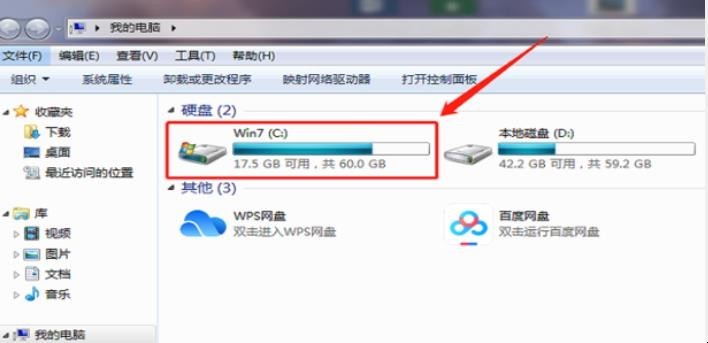
1、打开进入【我的电脑】,双击进入C盘。
怎么修复hosts文件
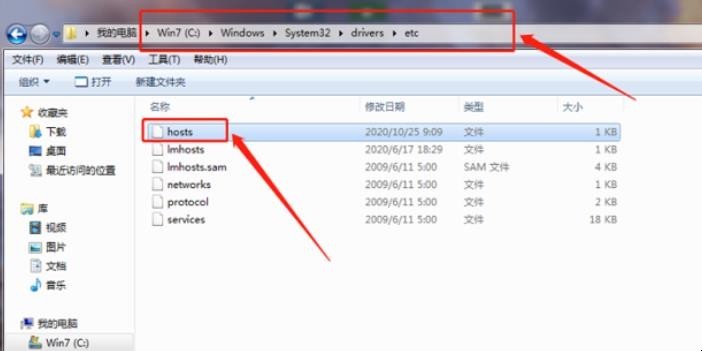
2、从上方的路径【C盘WindowsSystem32driversetc】找到【hosts】。
怎么修复hosts文件
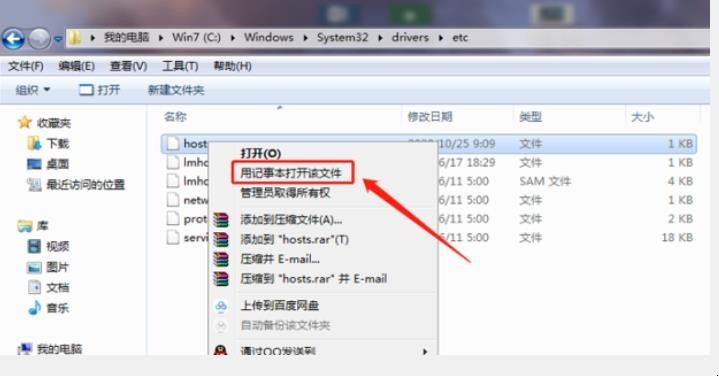
3、选中后,鼠标右击,选择【用记事本打开该文件】。
怎么修复hosts文件
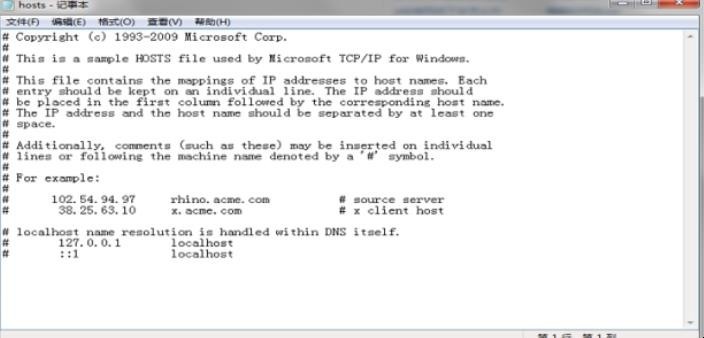
4、删除记事本的全部内容,将以下内容复制后放入文件然后保存。
怎么修复hosts文件
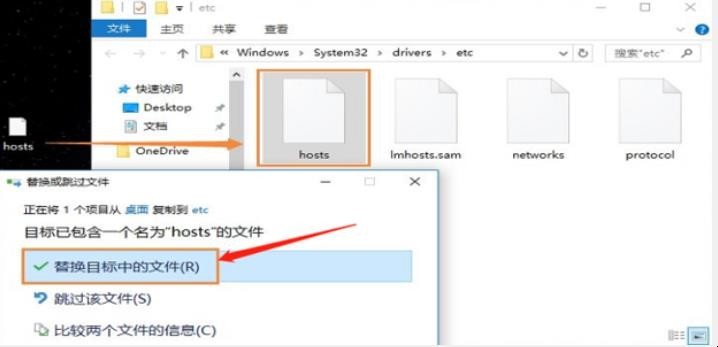
5、将修改后的hosts文件放入C:\Windows\System32\drivers\etc替换以前的hosts文件即可。
怎么修复hosts文件
以上就是关于怎么修复hosts文件的全部内容。